Use these steps to submit your proxy.
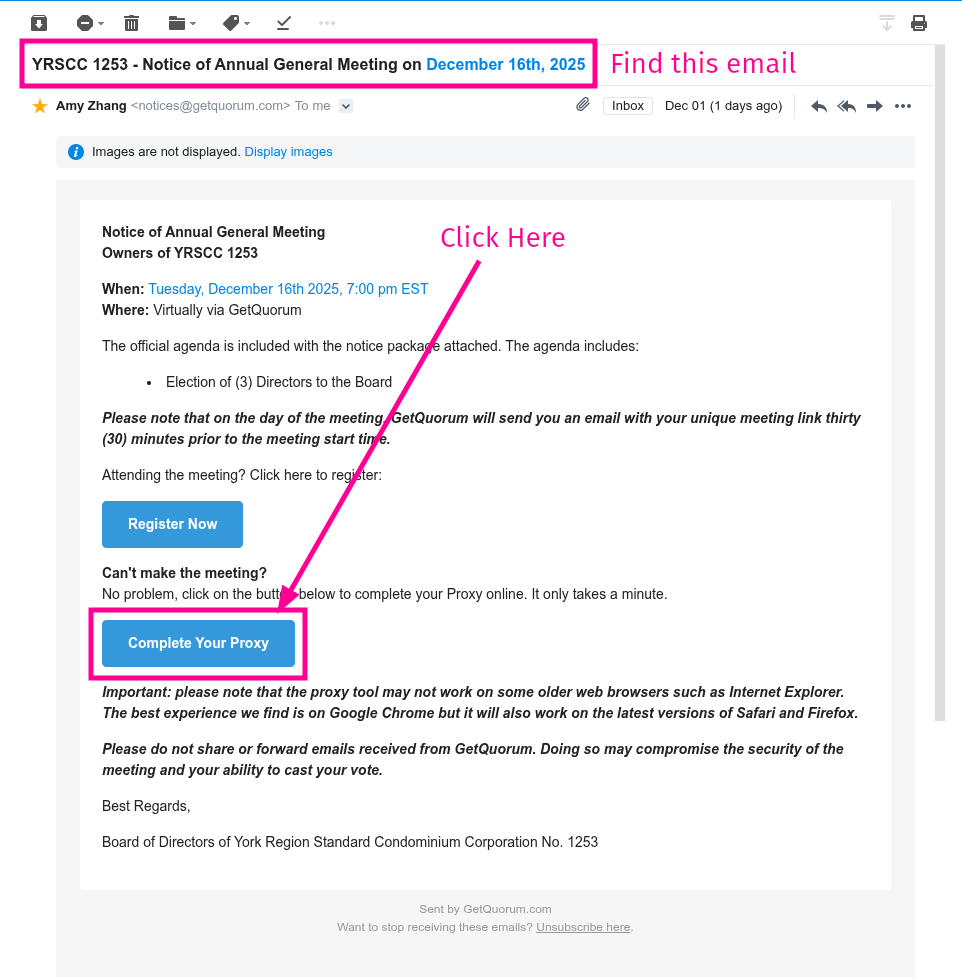
Step 1
Find the email sent to all registered unit owners with the subject: YRSCC 1253 – Notice of Annual General Meeting on December 16th, 2025
In that email, look for the Complete Your Proxy button and click it.
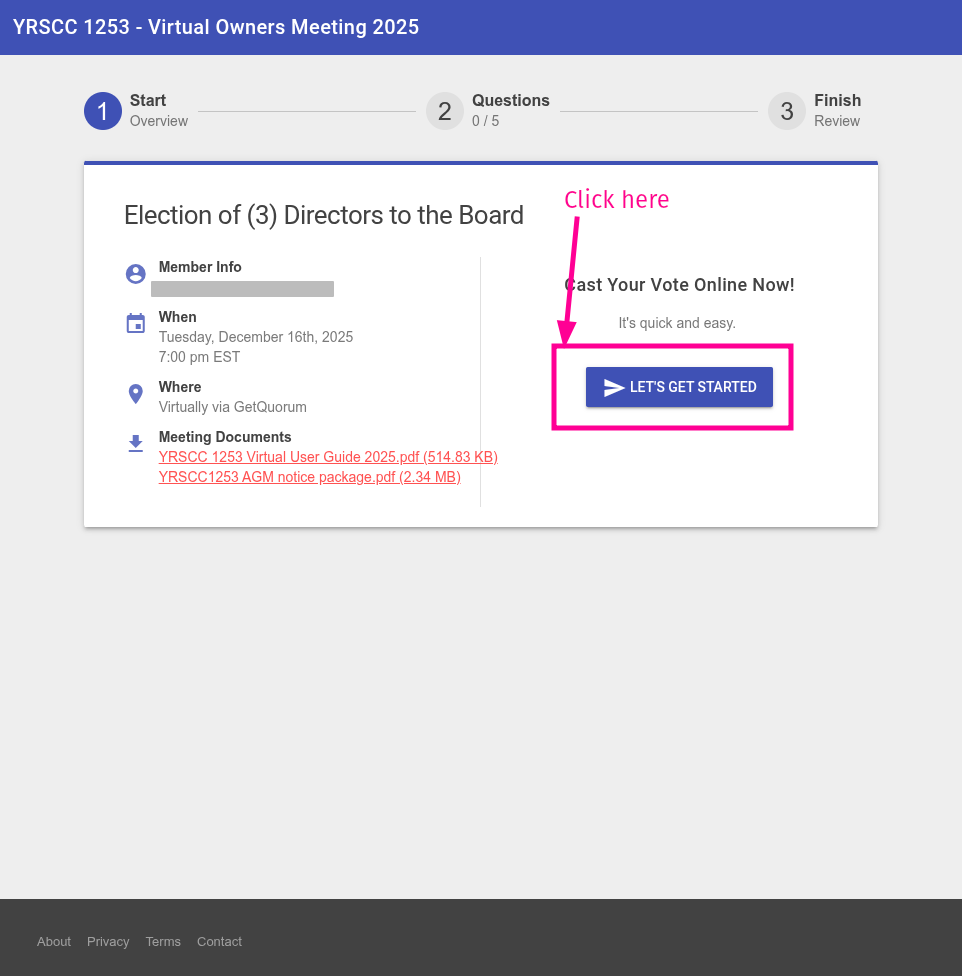
Step 2
In the first screen of the wizard, you’ll see the name of the registered unit owner.
Click Let’s Get Started to continue.
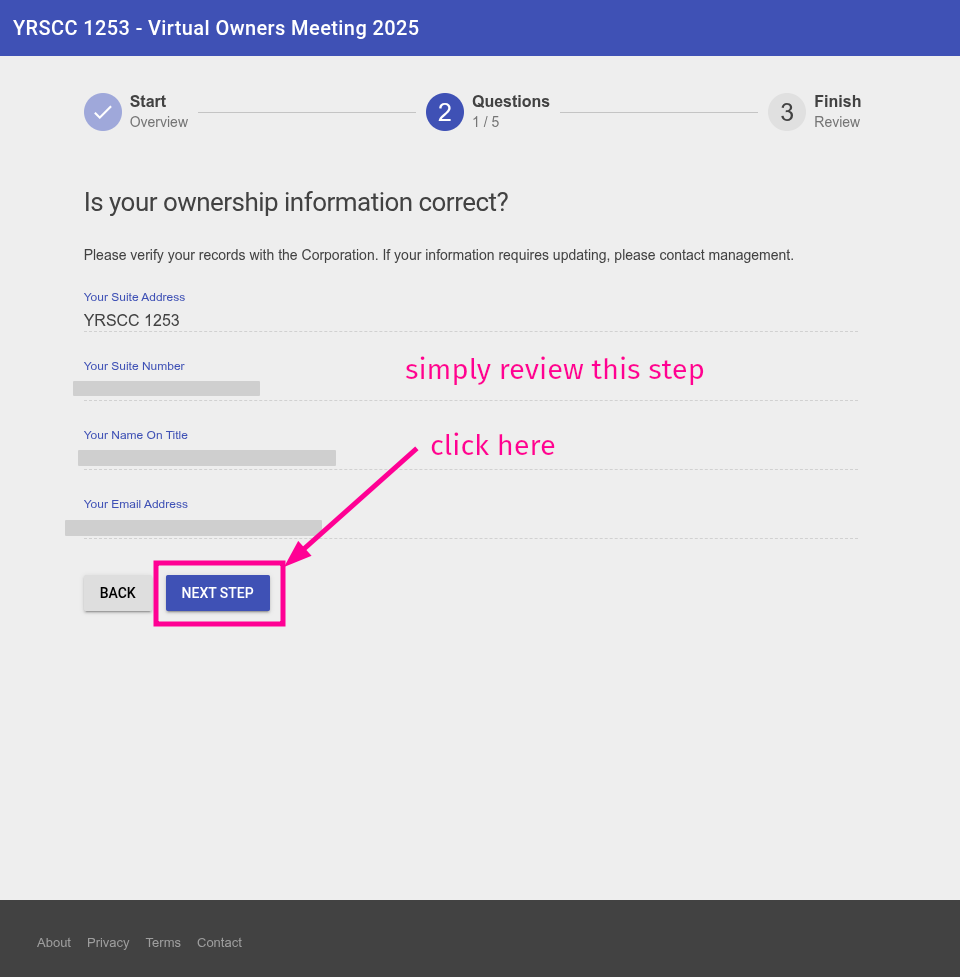
Step 3
Review this page, then click Next Step
Step 4
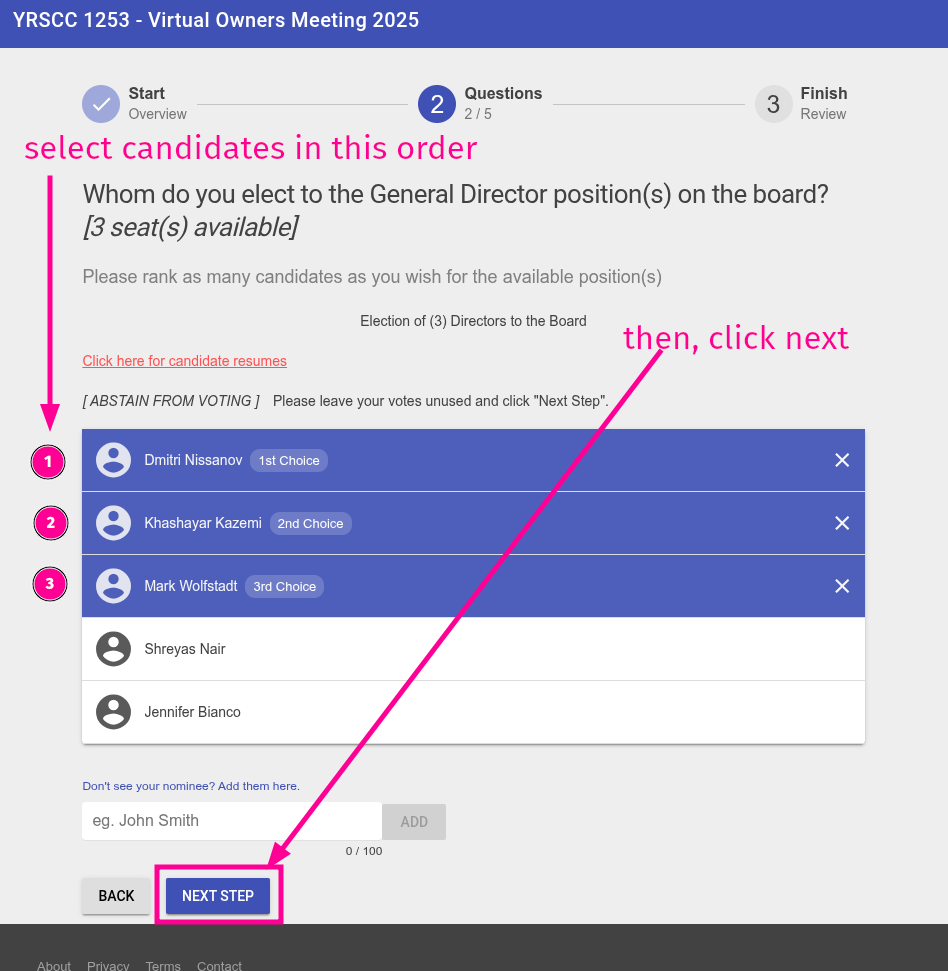
Select the candidates in this exact order;
1) Dmitri Nissanov
2) Khashayar Kazemi
3) Mark Wolfstadt.
Then click Next Step
Step 5
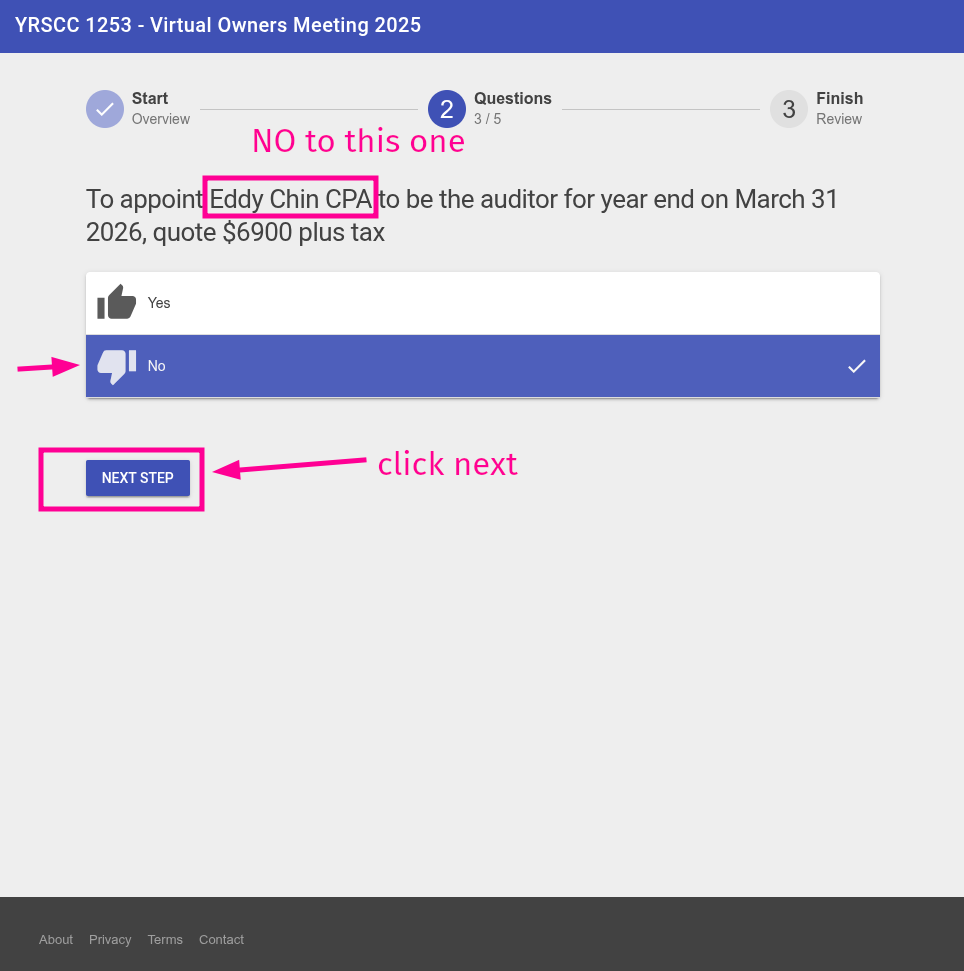
Eddy quoted $6,900, and we need to cut costs right now. So the answer is NO.
Click Next Step
Step 6
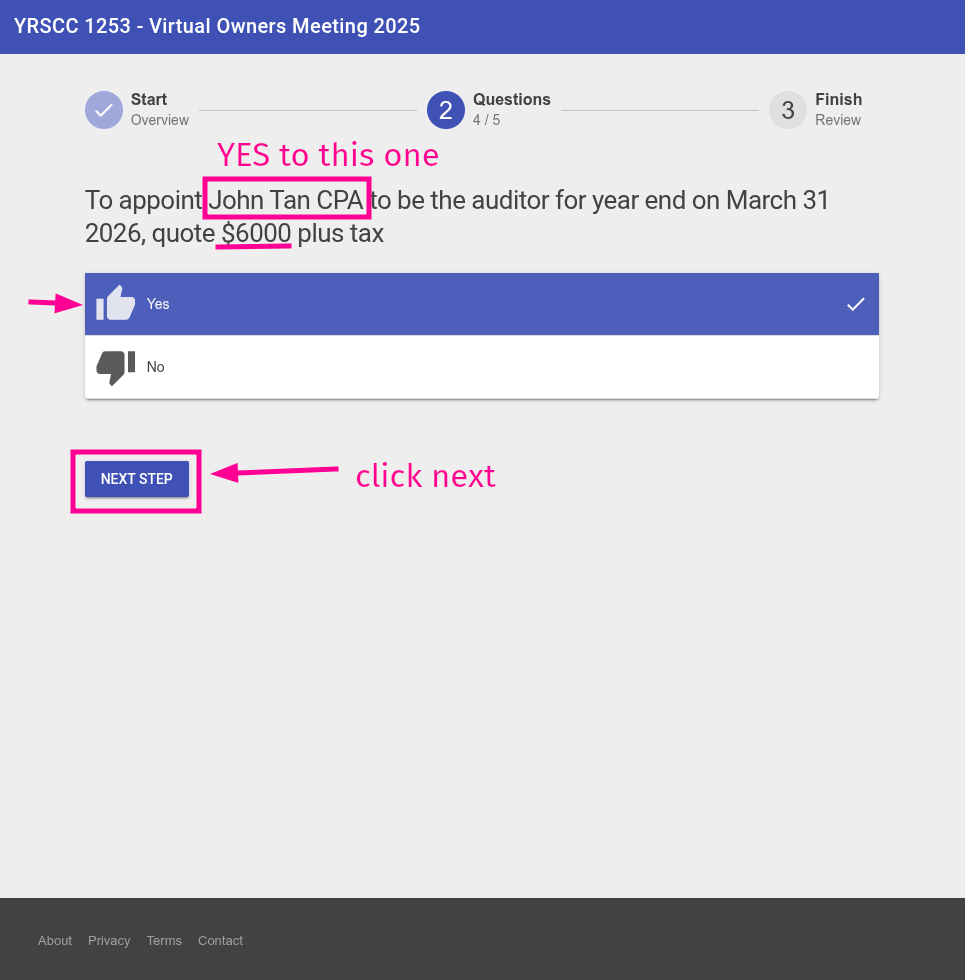
John’s quote is the better option, so we choose YES!
Click Next Step
Step 7
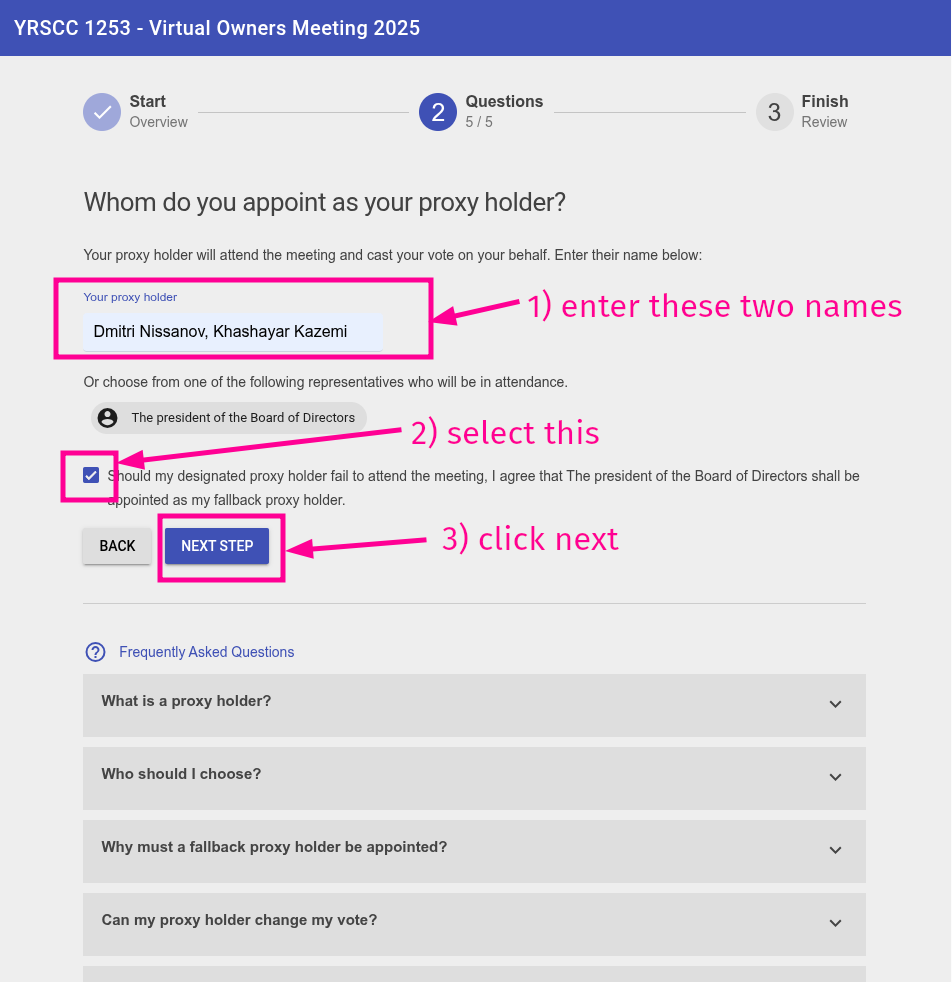
In the Your proxy holder field, enter the following names: Dmitri Nissanov & Khashayar Kazemi
Then select the checkbox and click Next Step
Step 8
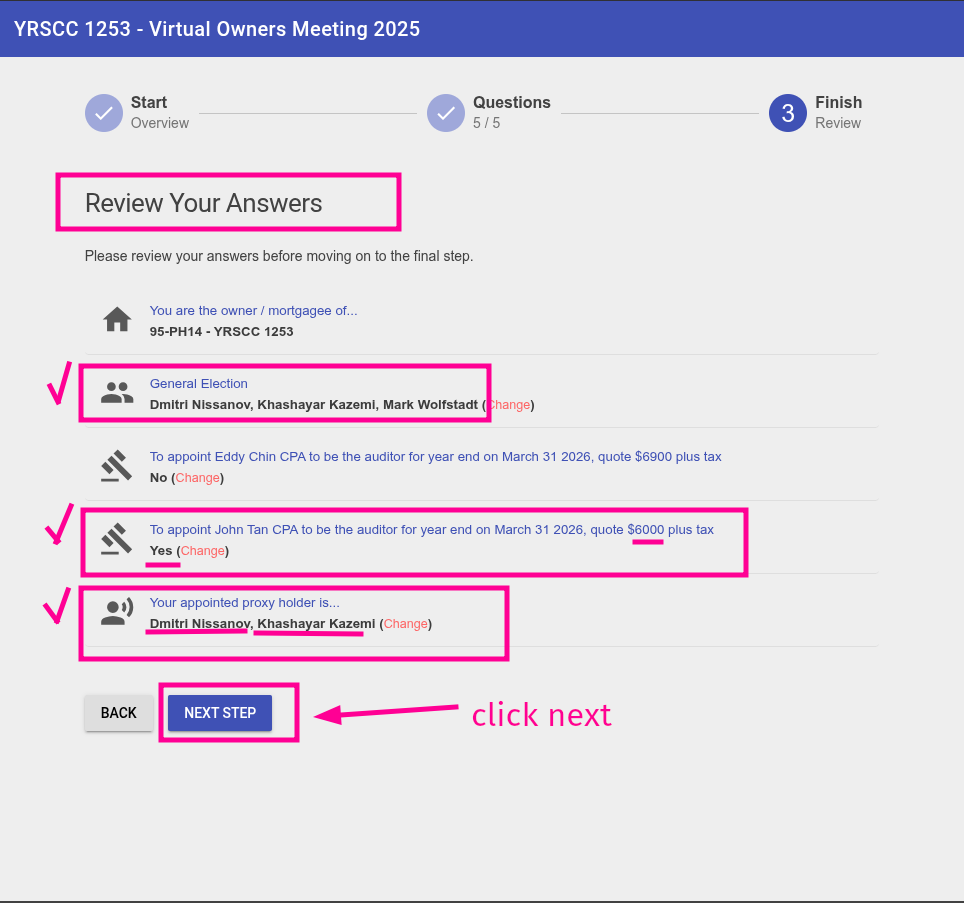
Review your answers, then click Next Step
Step 9
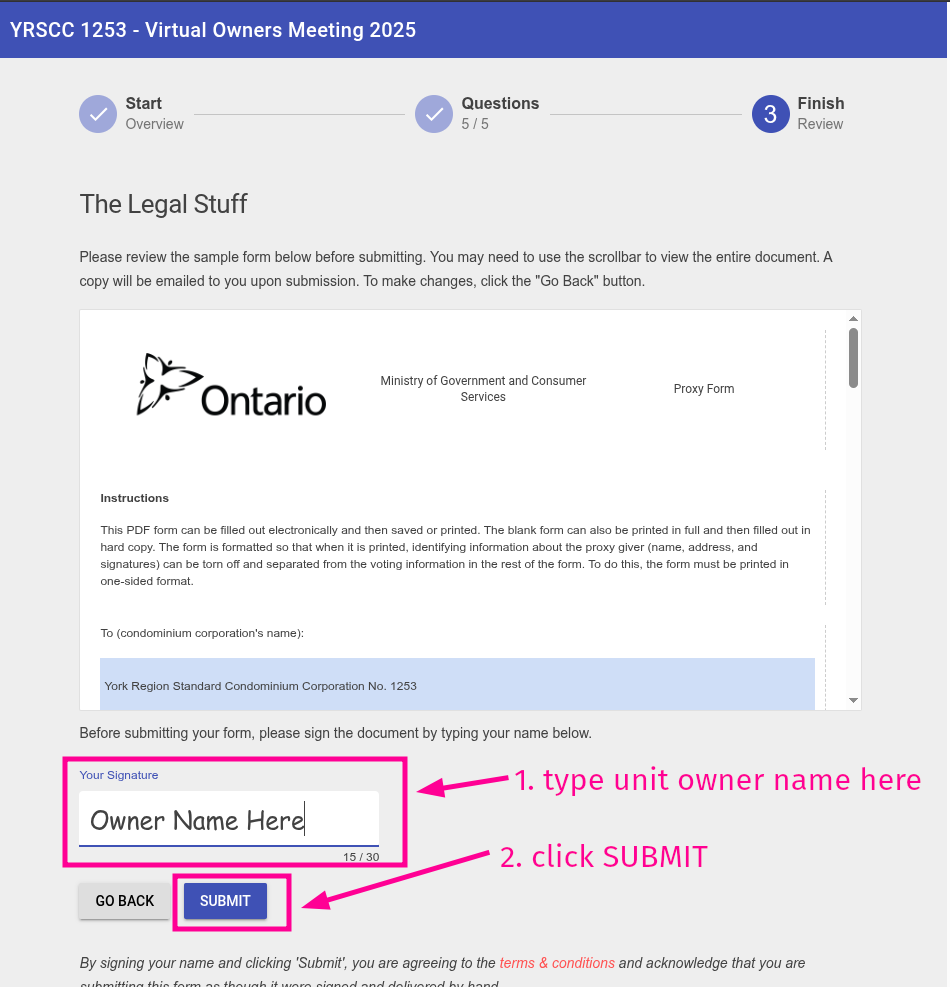
Finally, enter the unit owner’s name (the same one shown in Step 2 above) and click Submit
All done!